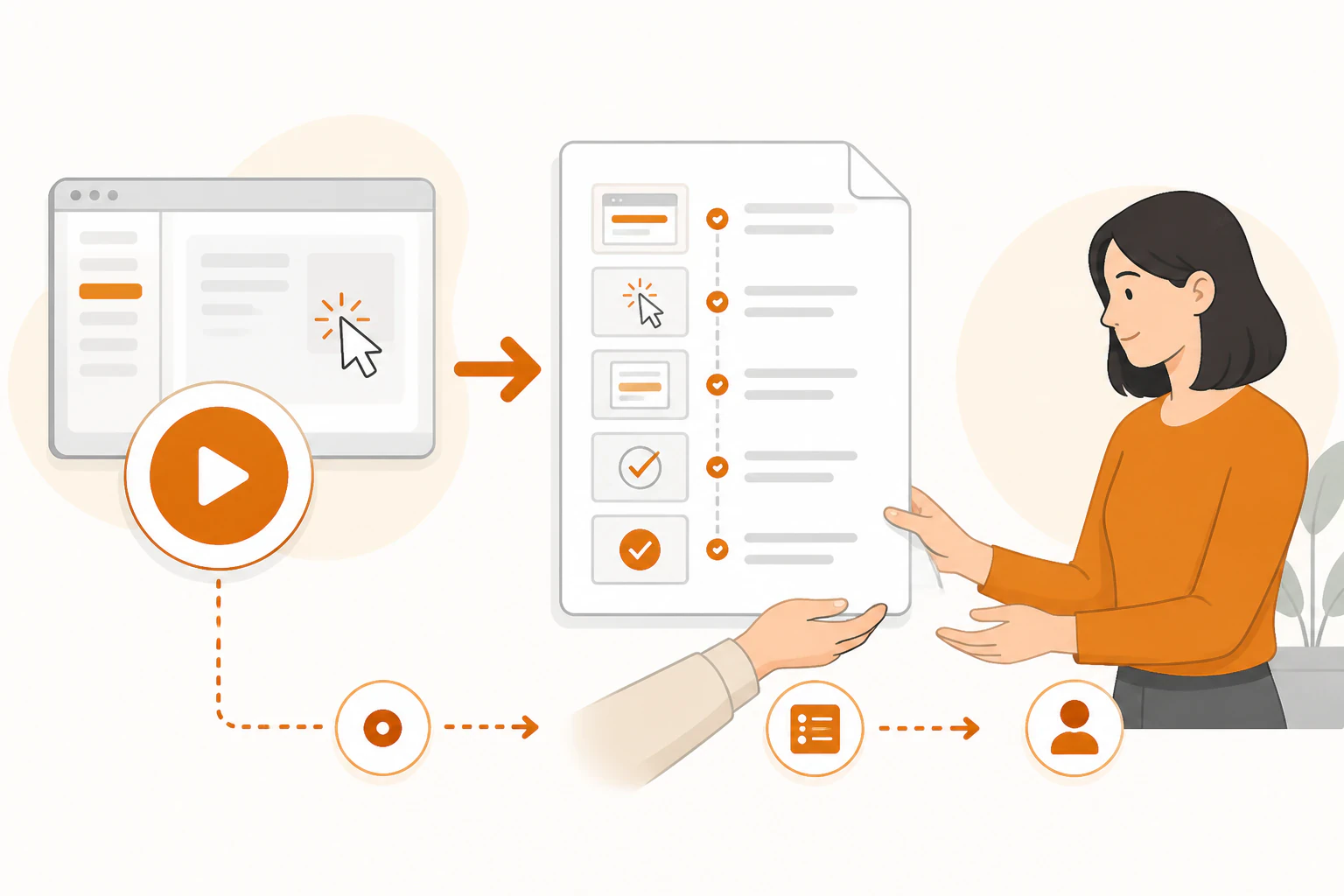
Stop scheduling documentation time. Record the task instead.
Here's how to write an SOP for a virtual assistant without the blank-page problem: the next time the task comes up, turn on a screen recorder, do the task the way you always do it, and narrate your decisions out loud. Get the recording transcribed, then cut the transcript down to one page: the trigger, the numbered steps, what finished looks like, and where to stop and ask. You'll spend the twenty minutes the task took anyway, plus about half an hour of editing. That's the whole method, and it works because it piggybacks on work you were already doing.
The sentence that kills most delegation is "it's faster to do it myself," and the frustrating part is that it's accurate. Explaining a task takes longer than doing it. Once. What the sentence hides is the multiplication: a twenty-minute task you handle three times a week is roughly fifty hours a year, and the cost of documenting it with the method above is under an hour, one time. Every week you skip writing the SOP, you pay the task cost again and keep all the future ones intact.
Not every task deserves this treatment. Document the work that recurs, follows a repeatable process, and won't sink anything if a mistake slips through, which is the same filter that decides what to delegate first to a virtual assistant. A task you do once a quarter rarely earns its SOP; the setup cost never pays back. A task you do every Tuesday almost always does.
One recording becomes the whole document.
Four passes, and only the first one has to happen while you're actually doing the work. The rest can happen days later, or be delegated themselves.
Record while you work
Next time the task comes up, hit record (Loom, QuickTime, whatever's closest) and narrate: what you're clicking, why you chose this option over that one, what you check before moving on. The "why" is the part no from-memory document ever captures.
Transcribe it
Run the recording through any transcription tool, or make transcribing it your assistant's first task on this process. Either way, you now have every step in the right order without having to recall a thing.
Compress to one page
Cut the transcript into numbered steps, ruthlessly. Anything a competent stranger could figure out from the screen goes. Every decision rule stays: "if the invoice is over $500, flag it for me, don't send it."
Test it on a real person
Hand over the document, not a walkthrough, and watch what happens. Every question your assistant asks is a missing line; add it and run the task again. Two rounds usually gets a process airtight.
An SOP is finished when someone you've never trained can produce work you'd sign off on.
Seven things a VA-ready SOP answers.
The container barely matters. A Google Doc your assistant can comment on beats specialized software you'll stop opening in a month. Coverage is what matters, and a usable SOP answers these seven things, roughly in this order.
- The trigger. What starts this task: a day of the week, an email landing, a client signing. If your assistant can't tell when to begin without asking you, the SOP starts too late.
- The definition of done. What the finished output looks like and where it goes when complete. A screenshot of one correctly finished example is worth three paragraphs of description.
- Numbered steps with screenshots. One action per step, in order, with an image wherever the interface is ambiguous. Write "open Reports, click Export CSV," not "pull the data."
- Decision rules. The if-thens that currently live only in your head: which requests get a discount, which emails get escalated, what counts as urgent. This is the highest-value section of the whole document and the one most SOPs skip.
- The stop line. The exact point where the assistant should pause and ask rather than guess, and who to ask. A clear escalation rule prevents both bad improvisation and a twenty-questions inbox.
- Tools and access. Every login, tool, and permission the task touches, so nobody discovers a missing password halfway through. Share credentials through a password manager, never inside the document itself.
- A time budget, an owner, and a date. Roughly how long the task should take, who owns the process, and when it was last updated. An SOP without a date is an SOP nobody trusts.
The first run is part of the writing.
Don't treat the document as finished when you export it. It's a draft until someone else has run it end to end, because you can't see your own assumptions; the person following the steps can. Slot that first run into week one of onboarding a virtual assistant: day one is access and context, and days two and three are one real SOP-backed task done start to finish while the questions are still cheap.
One discipline makes or breaks this stage: when a question comes up, fix the document, not just the moment. Answering out loud feels faster, and it's how the SOP quietly rots back into knowledge that only exists in conversation. If you had to explain it, the page was missing it. Add the line, then answer.
After that first revision, hand the maintenance over too. Your assistant runs the process every week; they'll notice before you do when a tool changes its menu or a step becomes obsolete. Their job is to update the doc and bump the date, and yours shrinks to approving changes to the decision rules.
Who owns the SOPs after week one?
Here's the failure mode nobody warns you about: an SOP written for one specific person tends to die with the engagement. You document everything for a good freelancer, they absorb it, the docs stop being read, and eighteen months later they move on and take the working version of your process, all the unwritten fixes and exceptions, with them. You're back to recording your screen for the replacement.
This is where a managed team changes the math. With Lil Assistance, you don't hand your SOPs to an individual; you hand them to a project manager who assigns each task to the right specialist and holds the process steady across whoever's doing the work. If your regular specialist is unavailable, the task still ships the same way, because the document plus the coordination layer, not one person's memory, carries the process. It's the same reason the delegation overhead itself gets lighter: routing work, checking output against the SOP, and keeping the docs current is precisely what a project manager does all day, and every plan includes one.
The honest caveat: no service removes the first pass. Your process lives in your head, so the initial recording and editing is your work no matter who you hire, and for the first few weeks delegation costs time before it returns any. What a managed team changes is how often you repeat that investment. Documented once and handed to a team with a coordination layer, a process survives personnel changes that would reset it anywhere else.
What people ask once they start writing.
How long should an SOP for a virtual assistant be?
One page for most recurring admin tasks, two at the outside. Length usually signals a scoping problem, not a thoroughness win: if a document runs past two pages, you've probably bundled several tasks with different triggers into one file. Split them. Short documents get read on the fifth run, not just the first.
Should I write SOPs before or after hiring a VA?
Two or three before, covering the first tasks you plan to hand off, so week one isn't improvised. Write the rest after, with your assistant's help, in the order the tasks actually come up. Trying to document your entire operation before hiring is the most reliable way to never hire.
What's the difference between an SOP and a checklist?
A checklist is a memory aid for someone who already knows the job; an SOP carries enough context, steps, screenshots, and decision rules for someone who doesn't. Most SOPs mature into checklists: after twenty runs, your assistant works from the short version and opens the full document only when something looks unusual.
Can my virtual assistant write the SOPs for me?
After the first one, yes, and they should. The division of labor that works: you record yourself doing the task and narrating, your assistant drafts the document from the recording, and you review only the decision rules and the stop line. Drafting SOPs from your recordings is a genuinely good early task, because it forces a close read of how you work.
Document it once. Then let a team run it.
Hand your SOPs to a project manager who routes each task to the right specialist and keeps the process steady as things change. No long-term contract.